
The registration link guests receive
What a guest can see and change from the registration link in their confirmation email.
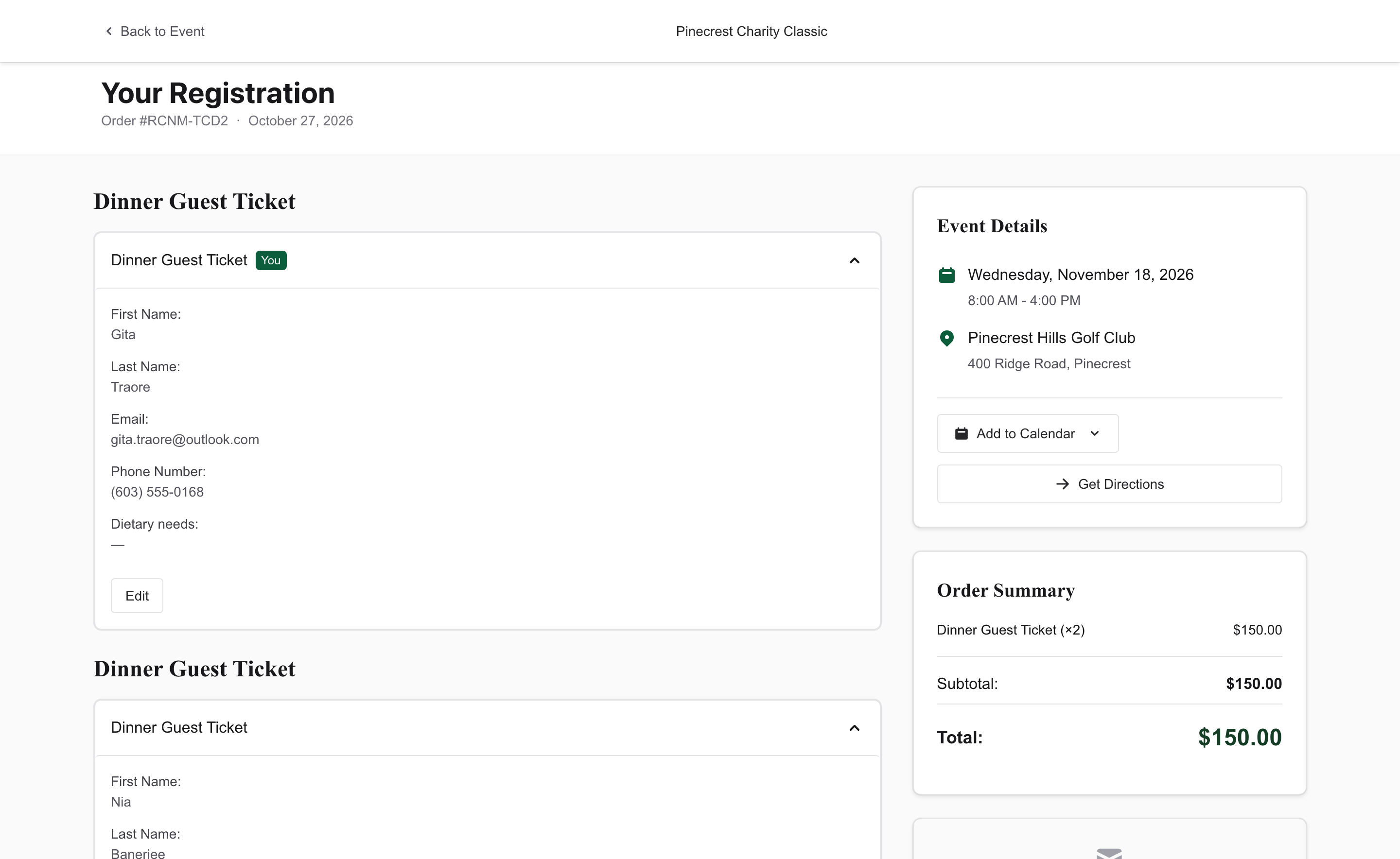
The registration link is the View Your Registration button in the order confirmation. It opens Your Registration for that order: the order number, the people on it, and the event date and place.
The buyer can open each person, choose Edit, and Save. An empty spot says "Click to add details". They can also choose Add to Calendar and Get Directions.
If a balance is still due, the page shows Payment Outstanding. Pay Now appears when that balance can be paid online.
Editing closes at the item's Participant info deadline. After that, the page says "Changes are no longer available. Contact the organizer for assistance."
New items start at 2 weeks before event. Change it on the item under Advanced Settings > Registration.
A cancelled order says "This order has been cancelled." An order you have replaced says "This order has been updated" and links to the current one.
Common questions
Can the buyer forward the link to their group?
Yes, and that is the easiest way to get a foursome's or a team's names filled in. Each person opens the link and fills in their own spot. On a team with a flexible roster, the buyer can also set How many players? and name each one.
What does a donor's link open?
Their donation page, Your Donation. They can see the donation and change how their name shows on the wall and any dedication.