
Check guests in
Search, tap, done. Hand out add-ons, email a scorer their link, and sell a walk-up, all from one screen on any phone.
Check-in is built for the table at the door. Open it on a phone, a tablet, or a laptop, and give the link to as many volunteers as you have. Everyone sees the same list, and a check-in on one phone shows up on the others within seconds.
Find someone
Type any part of a name, an email, or an order number. On a team event, a team name works too. All, Not checked in, and Checked in switch the list, and Filter narrows it by item or capacity pool.
The magnifier in the top bar (⌘K or Ctrl+K) searches the whole event from any page, including orders and participants, and opens the one you pick.
Check them in
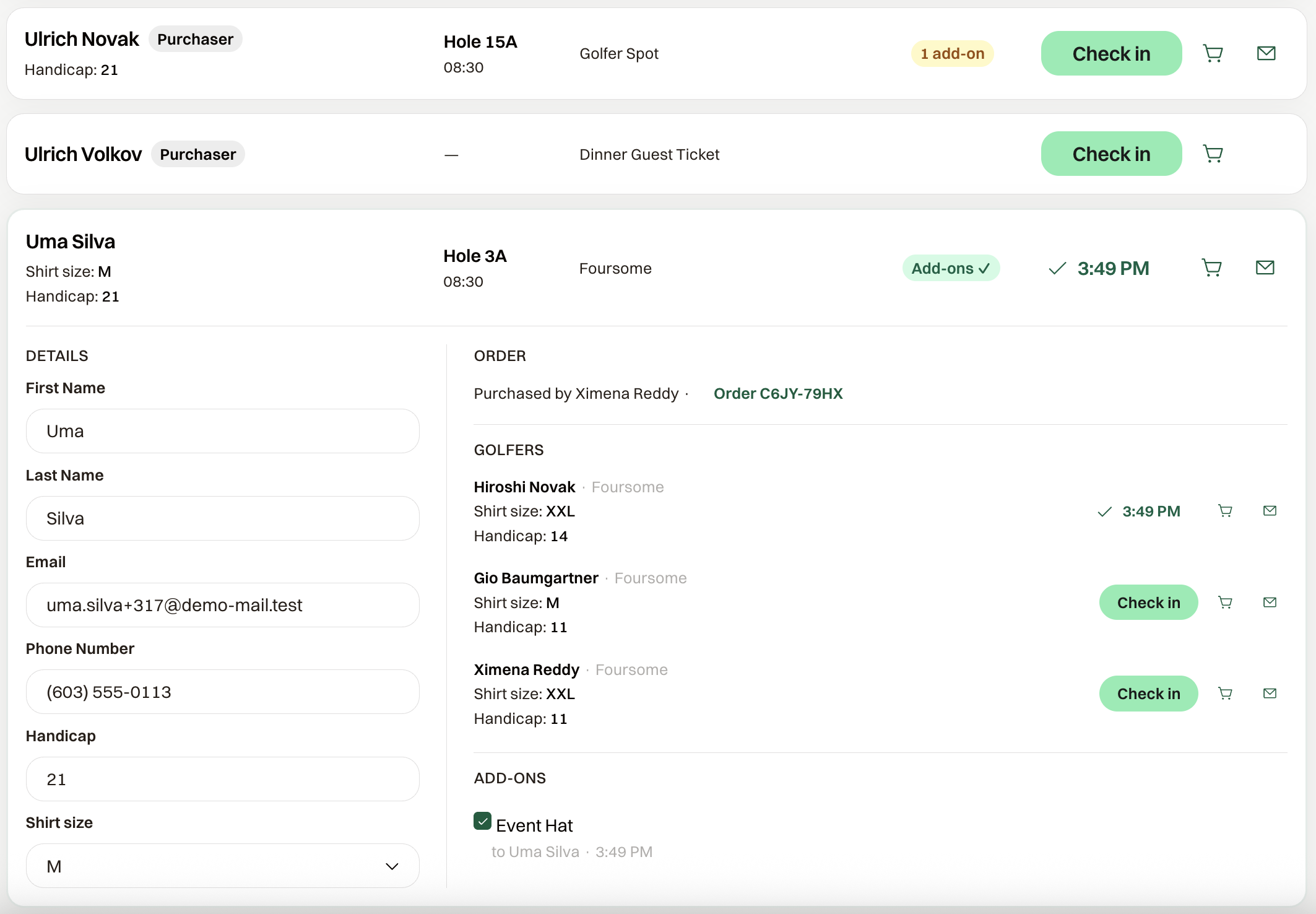
Tap Check in. The button becomes the time they arrived. Tapped the wrong person? Tap that time to undo it.
A foursome or a team shows everyone in the group on one card. Check in all marks the whole group, and Undo all clears it.
Open the card
Tap a name to expand it. Details shows what they answered at registration, and you can fix a name, phone, or shirt size right there. Order links to the purchase, and shows who paid and which package or sponsorship they came in on.
Hand out add-ons
Mulligans, hats, dinner tickets: anything sold as an add-on with Track delivery at check-in on shows under Add-ons on the card. Tick the box when you hand it over, and the card records who took it and when. The collapsed card shows how many are still out, and Filter can show only the orders that still have something to collect.
Track delivery at check-in is on for a new add-on. Turn it off on the item when there is nothing physical to hand out.
Email a scorer their link
On a golf event with live scoring on, the card has a scoring-link icon. Tap it and the group's scorer gets the link again, which saves hunting for the email on the first tee.
Sell a walk-up
Create Order starts a registration from Check-in. Take the card or the cash, and you land back on Check-in with that order ready to check in.
Counts
Checked in at the top is how many of the current list are in. Tap it to jump to Not checked in. Add-ons delivered counts what you have handed out against the total, and tapping it filters to orders that still have some out.
If updates stop, the page says "Not syncing — tap to retry."