
Resend a guest's registration link
Send the registration link again when a guest cannot find the confirmation email.
Open the order and, under Order Actions, choose Send email. Set Template (optional) to Order Confirmation, then Send.
The email goes to the purchaser. The subject is Registration Confirmed, with the event name and order number, and the button is View Your Registration.
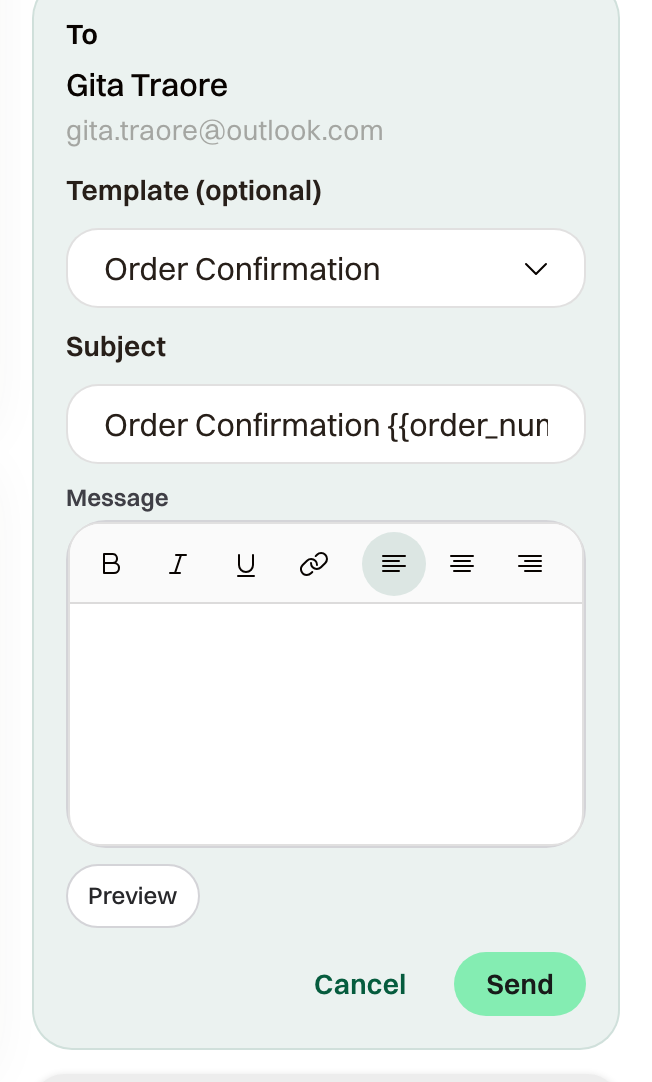
From the participant list
Actions > Send Message can include the same link. Choose Purchasers. Each of those emails covers one order and includes a View Your Registration link.
Send Message sends the note you write. Order Confirmation resends the receipt they already received.
A cancelled order does not offer Order Confirmation. Send the link from the replacement order instead.