
Refunds
A refund returns money to the guest for an order you have already taken.
A refund returns money from a payment already on the order. Open the order and choose Refund.
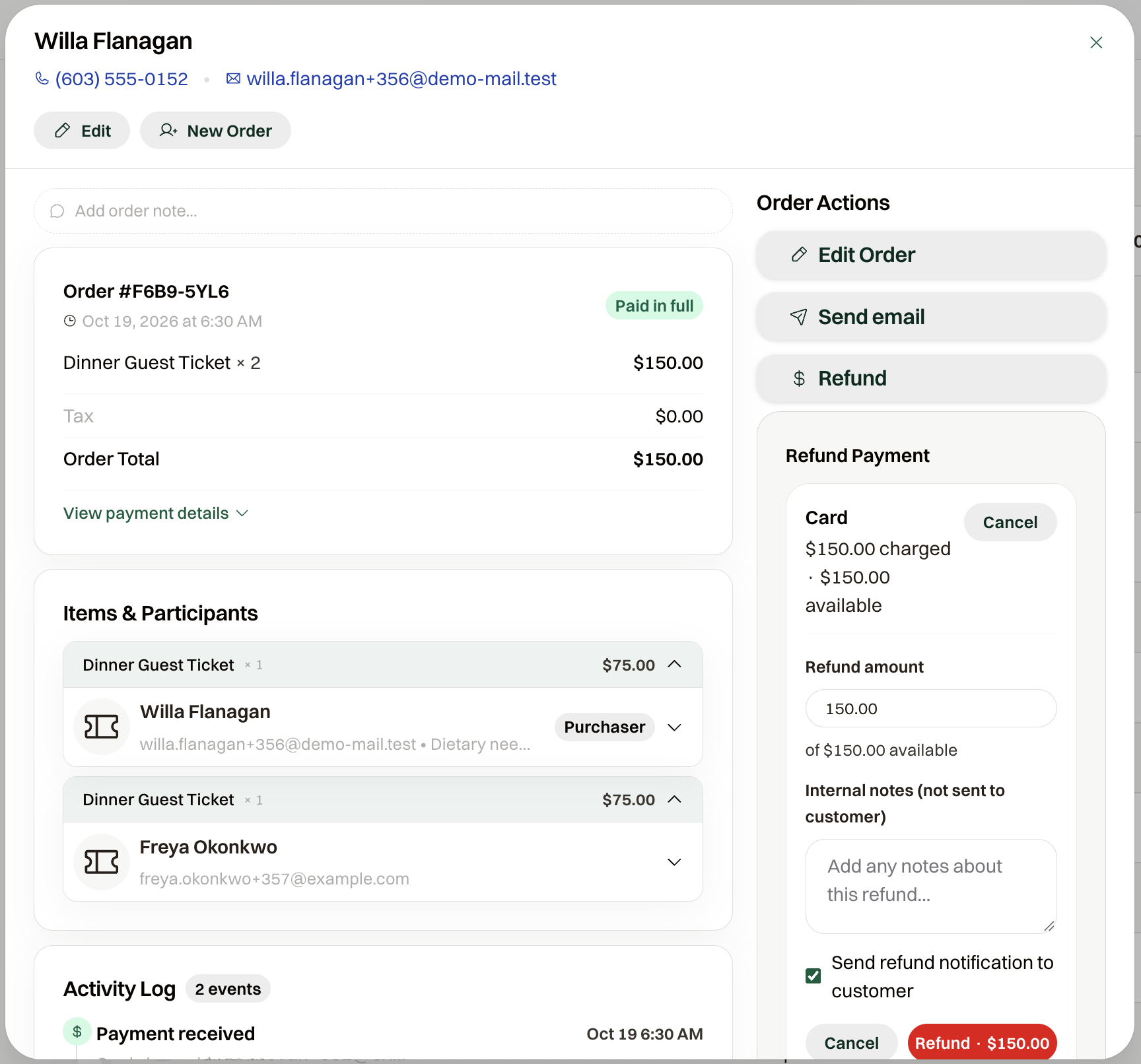
Full or partial
Refund Payment lists each payment that still has money to return. Refund amount starts at what's left on that payment, so leaving it returns the rest of that payment and a lower amount is a partial refund. The button shows the amount you are about to refund.
Where the money comes from
A card or PayPal payment goes back to that payment. Check Process manual refund offline (cash, check, etc.) when you are handing the money back yourself, and choose Method.
A check or cash payment has no card to return it to. Give the money back, then record it the same way, as a manual refund.
If a guest has paid more than the order total, the order shows the overpayment; refund it from the payment that went over.
What the guest sees
The guest gets a refund confirmation email. The subject carries the event name and order number, and the email states the amount refunded and where it went: back to their card, or by check or cash when you refunded offline. Send refund notification to customer is on by default. Uncheck it and no email goes out.