
Manual orders
Add an order from the dashboard for a phone, check, or comp registration, and send the same confirmation.
A manual order is a registration you take yourself: a phone call, a check or cash you already have, or a registration with nothing due. Open Orders and choose Create Order. Fill in the purchaser, add the items, and fill in each person the same way a guest would.
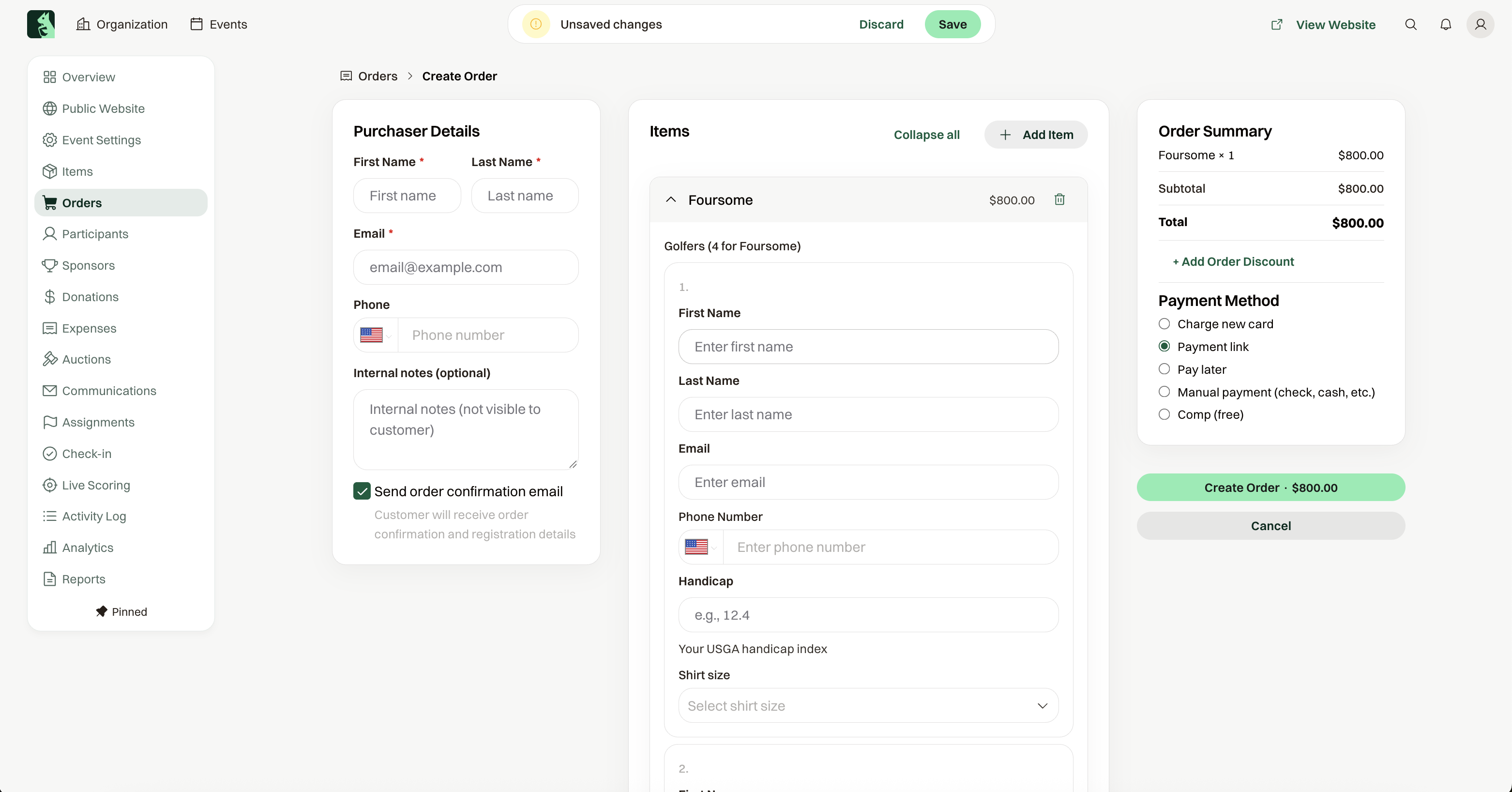
How you record the payment
Under Payment Method, choose how this order is paid.
Charge new card runs a card now. Card on file appears when this person already has a saved card.
Manual payment (check, cash, etc.) records money you already received. Outside the US, that label says cheque.
Pay later creates the order with a balance due. When the event can take online payment, Payment link emails a Pay Now link.
Comp (free) records the order with nothing due. Reason is optional. When the total is zero, that choice is hidden.
Discounts and extra charges
+ Add Order Discount takes a fixed amount or a percentage off the whole order. The guest sees one Discount line on their confirmation. Use it for a board member's comp rate or a make-good after a problem.
+ Add Custom Charge adds a line that isn't an item: a Name such as Rush Fee, an Amount, and an optional description only you see. It takes no spot and adds no person, and it is not taxed. A negative amount is a credit. Use it for a late fee, an extra dinner seat you don't sell on the website, or a sponsorship upgrade. Both are also on Edit Order, so you can apply them to a guest's existing order.
What the guest receives
Send order confirmation email is checked by default. Leave it on and they get the same confirmation a guest checkout sends. Uncheck it and no confirmation goes out.