
Agenda and schedule
Sessions with a time, location, and description, and where that agenda shows on the website.
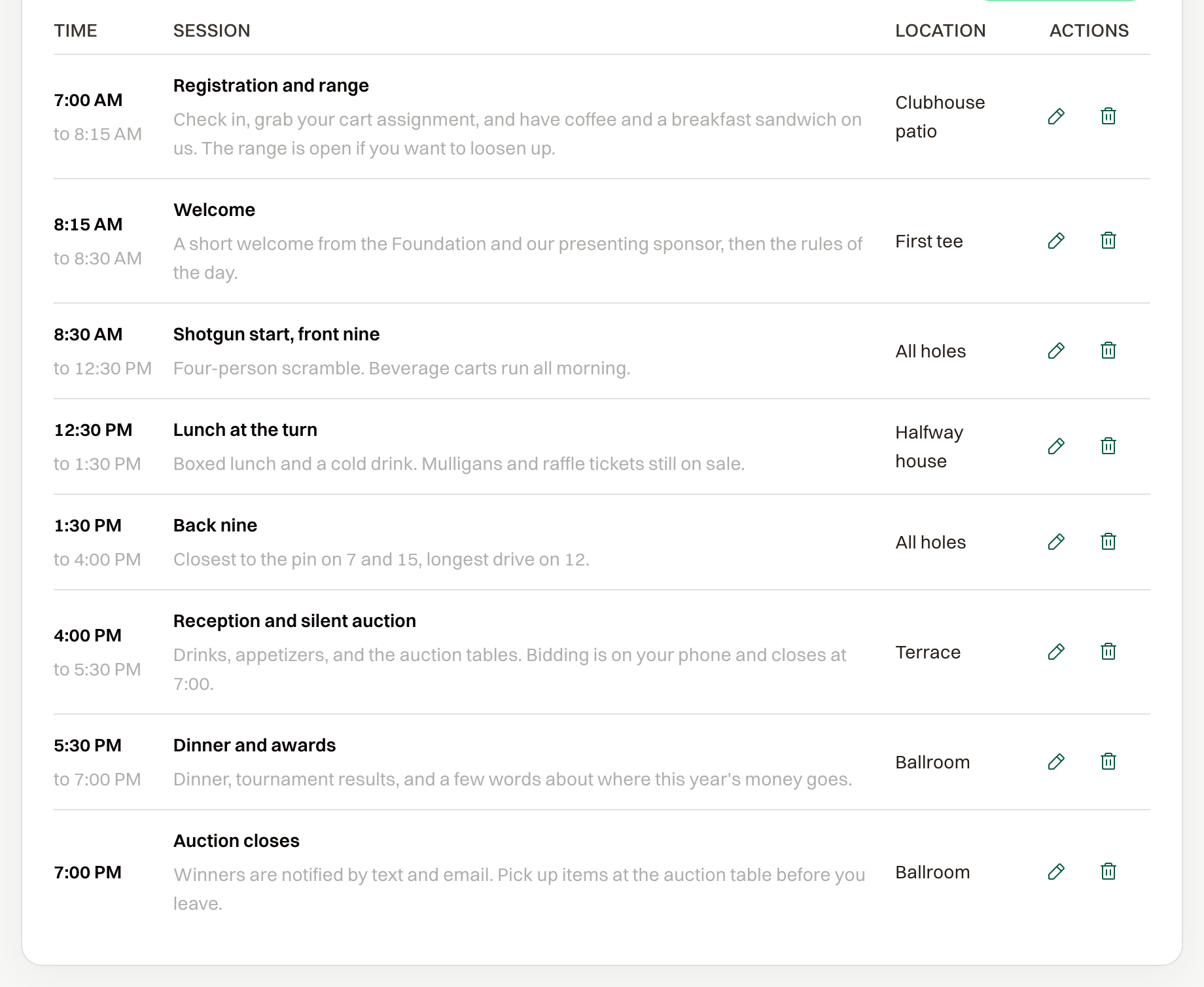
The schedule is the day's agenda on your public website. Guests use it to plan the day. Registration and capacity stay as they are.
Add a session
Under Event Settings > Schedule, select Add Session. Each session needs a Session Name, Start Time, and End Time. Location and Description are optional.
Sessions are listed by start time.
Where guests see it
The agenda appears after you turn Schedule on under Public Website > Homepage, and at least one session exists. Guests then get a Schedule link at the top of the site and a section titled Event Schedule. Each row shows the time, the name, the location, and the description.
You can add and edit sessions after the event is published.