
Event details
The name, date, time zone, venue, and contact guests see for your event.
Event Details, under Event Settings, holds the name, date, venue, and contact for the event. Guests see the name and date at the top of the public website.
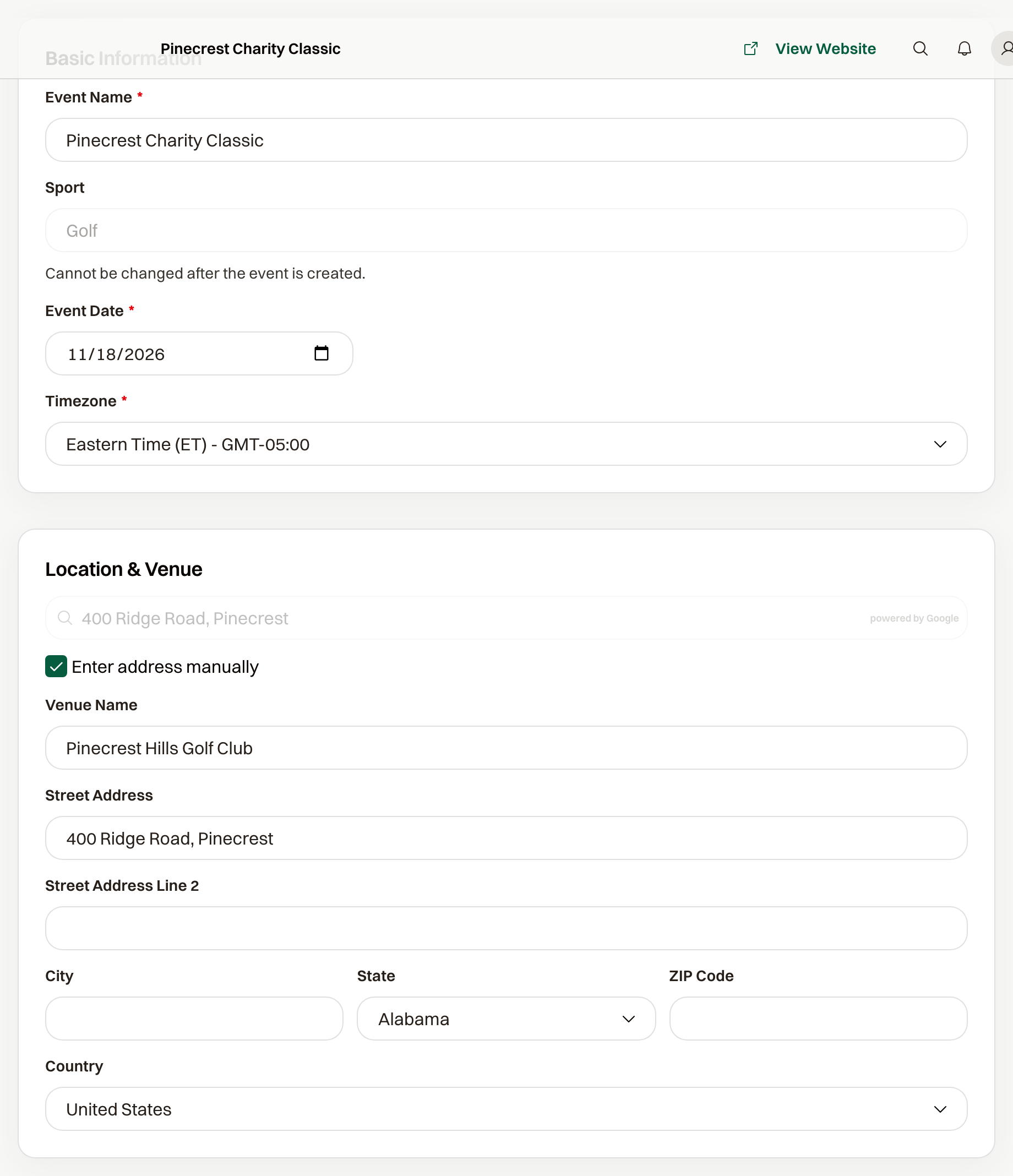
Name, date, and time zone
Event Name is the title on the website and in emails. Renaming the event does not change its public URL.
Event Date is the calendar day. Guests see it as a weekday and full date in the Timezone you pick. The time of day comes from the schedule, where each session has its own start and end.
Venue
Venue Name appears next to the date on the website. The street address goes into confirmation emails and onto the guest's registration page, with a map link. Search for the venue, or choose Enter address manually.
Contact shown to guests
Two checkboxes are on by default:
- Use organization contact information puts the organization's email in the website footer and in emails, next to "Questions?".
- Use organization mailing address puts the organization's address in the email footer.
Turn the first one off to set a Contact Email for this event alone. Guests then see that email instead.
What you can still change
The name, date, time zone, venue, and contact can all change after the event is published. Sport stays as it was when the event was created.
Common questions
Does renaming the event change the website address?
No. The public URL stays the same, so guests keep using the link you already shared.
Where do I put the start time?
On Schedule. Event Date is the day. Each session on the schedule carries its own start and end time.