
Generate the schedule
Generate or regenerate the games, read each warning, and move or reset a game.
Schedule places every game from Setup and the divisions. A missing piece says "Add a division in Setup before generating a schedule." or "Add locations and game times in Setup before generating a schedule."
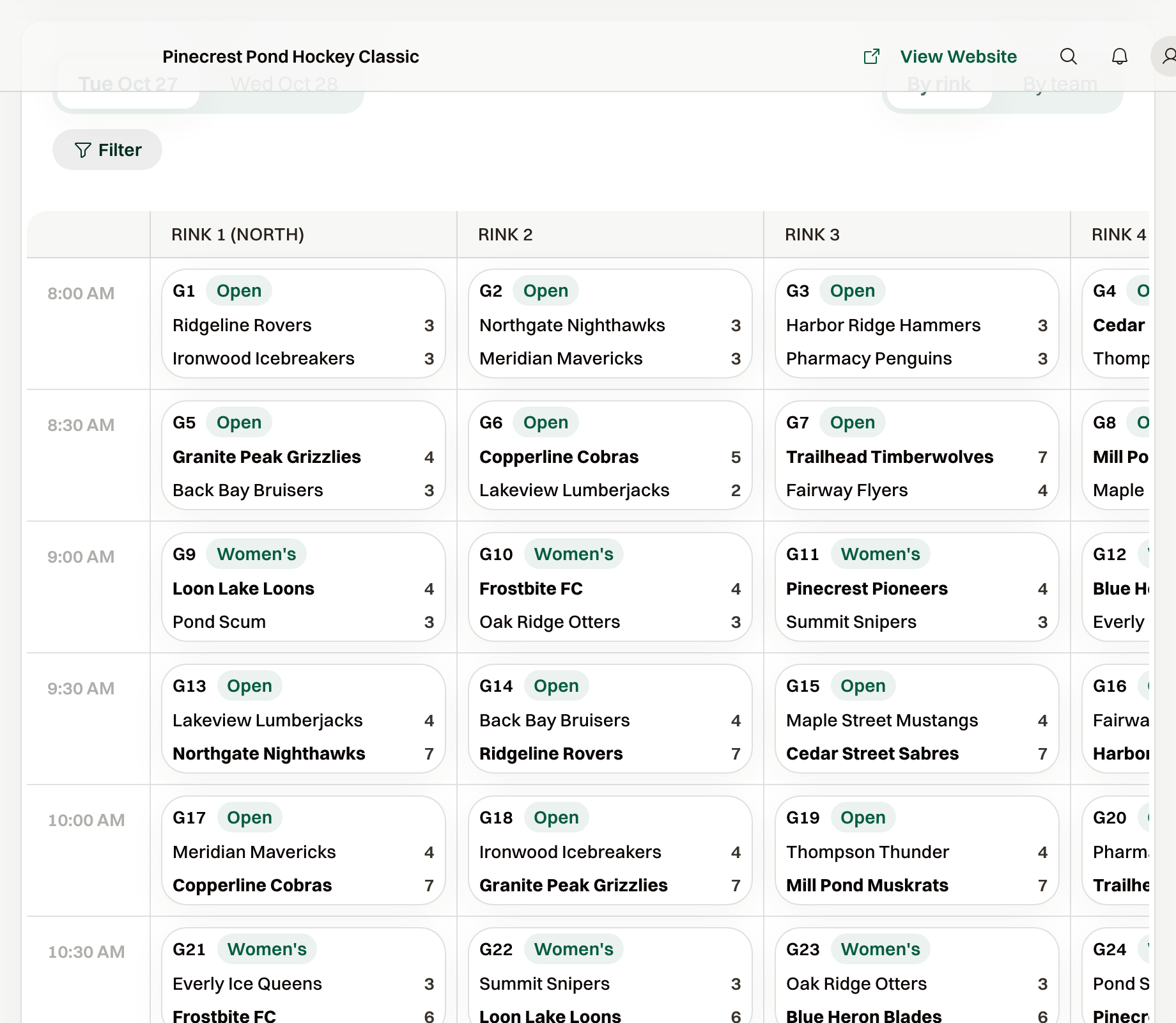
Generate all lists each division, its game count, and one line per day: the day, how many games, first and last start, and the locations.
Confirm saves the games. Cancel leaves the schedule alone.
If you have more than one division, use Regenerate all rather than regenerating divisions one at a time; it fits them across the day together.
Once any game in a division has a score, Regenerate is disabled for it and shows Scores exist. To rebuild that division's games you must Reset schedule first, which also deletes those scores.
When the schedule won't fit
Two problems stop Confirm until you fix them:
- "6 games don't fit." There are more games than slots. Add a day, add a rink or court, or shorten the interval between games.
- "Group A has 5 teams. Each team can play 2 or 4 games." With an odd group size, every team can't play the same number of games. Change the count or move a team.
Warnings you can accept
These let you press Confirm anyway. Read them once; most are fine.
- "Odd number of groups": the last group's teams meet each other in the first playoff round. Use an even number of groups if that matters to you.
- "No consolation games": fewer than two teams would be in it. Turn Consolation off, or advance fewer teams.
- A team "plays back to back": raise Rest between games.
- A team "waits 5 slots between games": a long gap. Add a location or shorten the day.
- A team "has 3 of 5 round robin games": the day window is too short for the full round robin. Change the count or extend the day.
- "6 of 8 playoff spots filled": the top seeds get a bye in the first round.
Generating again resets any game you moved by hand.
Move a game or reset the schedule
Move, or a drag on the grid, changes time or location. Only a scheduled or delayed game that has a time can move, and it then shows Moved by hand.
Reset schedule deletes every game in the division, including scores and score history. It asks you to type the division name (or RESET for all divisions) before it runs.
Common questions
A team dropped out after the schedule was made
With no scores, remove the team and Regenerate. With scores, Reset schedule and generate again, or open the game and choose Forfeit to keep the games and record the loss.