
Public pages and TV mode
The three public toggles, when a tab shows on the event site, and what each TV board displays.
Public Pages turns competition tabs on for the event website, and the links use the event's public address.
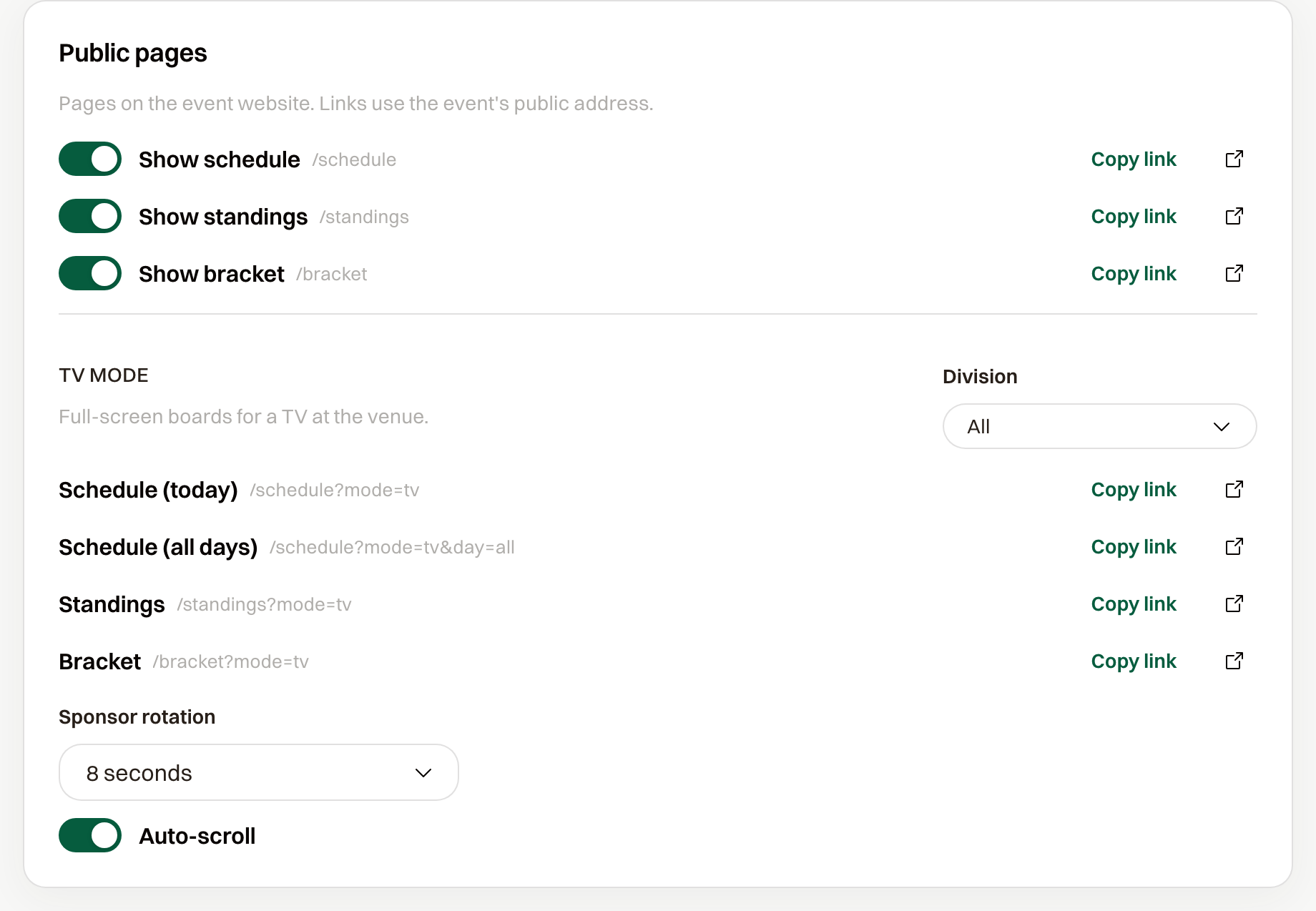
Show schedule, Show standings, and Show bracket are the three toggles. A tab appears only when its toggle is on and the matching games exist. With every toggle off, the card says "No public pages are on."
Schedule needs any game. Standings needs a round robin that has games. Bracket needs an elimination stage with games, consolation included.
Open the venue screen
TV mode is the full-screen board for a screen at the venue, and a link is listed only for a page you turned on. Copy link copies that address, and Open opens it.
Schedule (today) is one day's games: today if that day has games, otherwise the next day that does, otherwise the last day. Each row is the time, the two sides, and the score or the status, including in progress, delayed, and cancelled. Schedule (all days) is every day on one board.
Standings and Bracket are those boards on a screen. An event with no bracket yet says "No bracket." Sponsor rotation is how long each sponsor logo stays up, from 5 to 30 seconds, and Auto-scroll walks a long board to the bottom and back to the top so nobody has to touch it.
Show one division on the TV
When the event has more than one division, Division is All or one division. Choosing a division pins the TV links to that division, and the path is marked pinned. All shows every division.