
Auction items
Each lot has a starting bid, an increment, an optional Buy Now price, photos, and the donor's name.
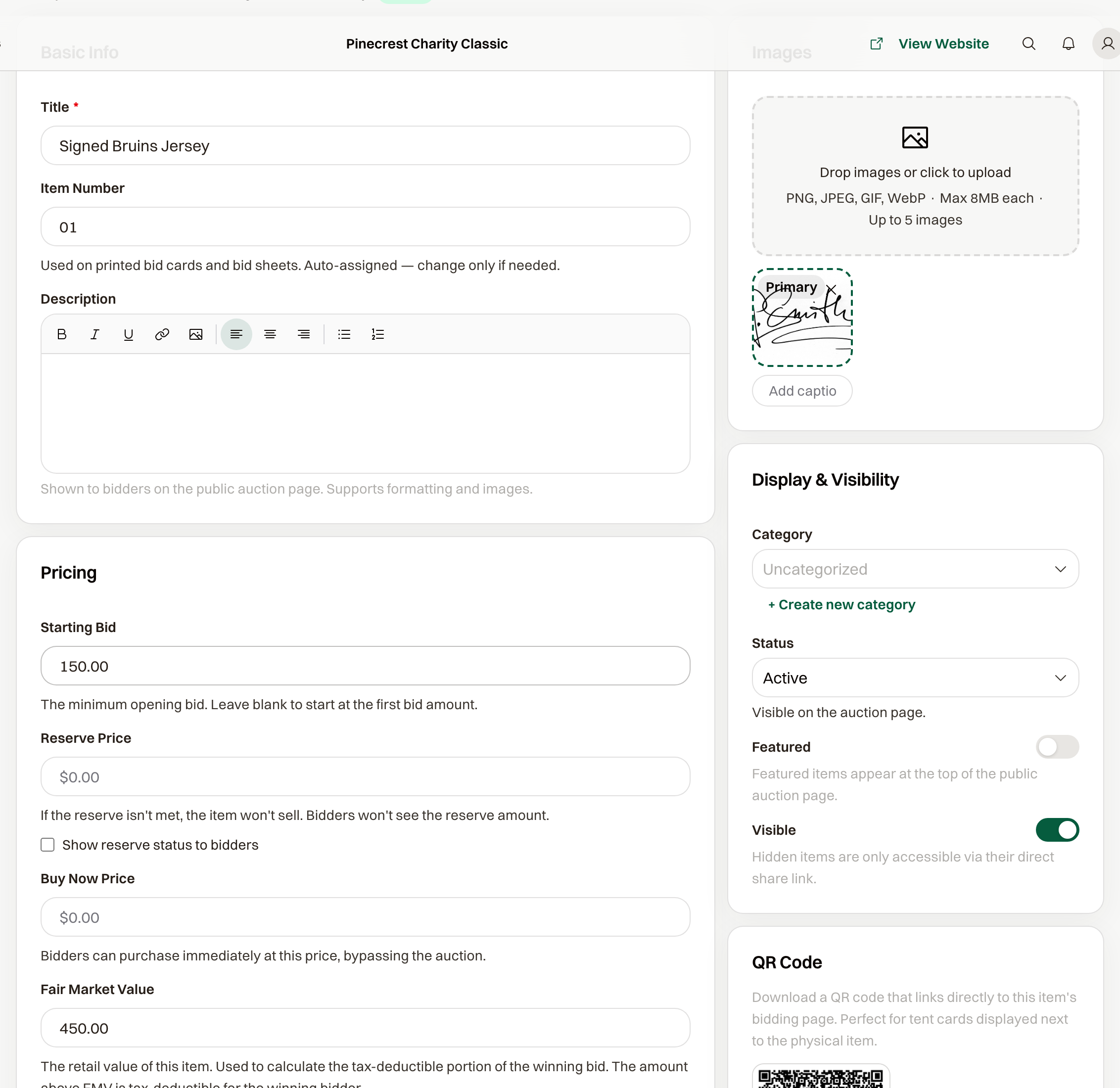
Add Item on the auction. Title is what guests see, and Item Number is filled in for printed bid cards. Change the number only when you need a specific one.
Price
Starting Bid is the lowest opening bid. Leave it blank and the first bid has to meet the increment. Buy Now Price lets a guest buy the lot at that price and end the bidding.
Reserve Price is the least you will accept. The amount stays off the public page unless you check Show reserve status to bidders. A lot that closes under the reserve is marked Reserve not met and does not sell.
Fair Market Value is the retail value. On a winning bid above it, the difference is the tax-deductible portion.
Bid Increment overrides the auction default. Leave it blank to use Default Bid Increment.
Photos and the donor
Photos are PNG, JPEG, GIF, or WebP, up to 8 MB each, and up to 5. Sponsor Name is the donor, and it shows on the public item.
Before guests can bid
Status starts as Draft. Set it to Active for the lot to appear. Pickup / Delivery Instructions show on the item page and in the winner email.