
Bidder registration and cards on file
How a guest registers to bid, why a card is saved, and how they get back to My Bids.
A guest registers once per auction with their name, email and, by default, a card. After that, every bid is one tap.
The first time
On an item, Place Bid opens Place a Bid. The first step is Create your bidder account: a first name, last name, and email, then Continue. They save a card on the next step, and it is charged only if they win.
When they finish, they see their bidder number and get an email with a View My Bids link. That link is how they get back in later. If consolation pledges are on, they are also offered a donation that is charged only if they win nothing.
Coming back
My Bids on the auction catalog opens the same page. If they enter the same email again, the page says "This email is already registered for this auction." Resend my registration email sends that link again.
Account Recovery emails a link that opens My Bids and clears the card on file. The next bid asks for a card again, unless Card capture is Not collected.
The bidder list
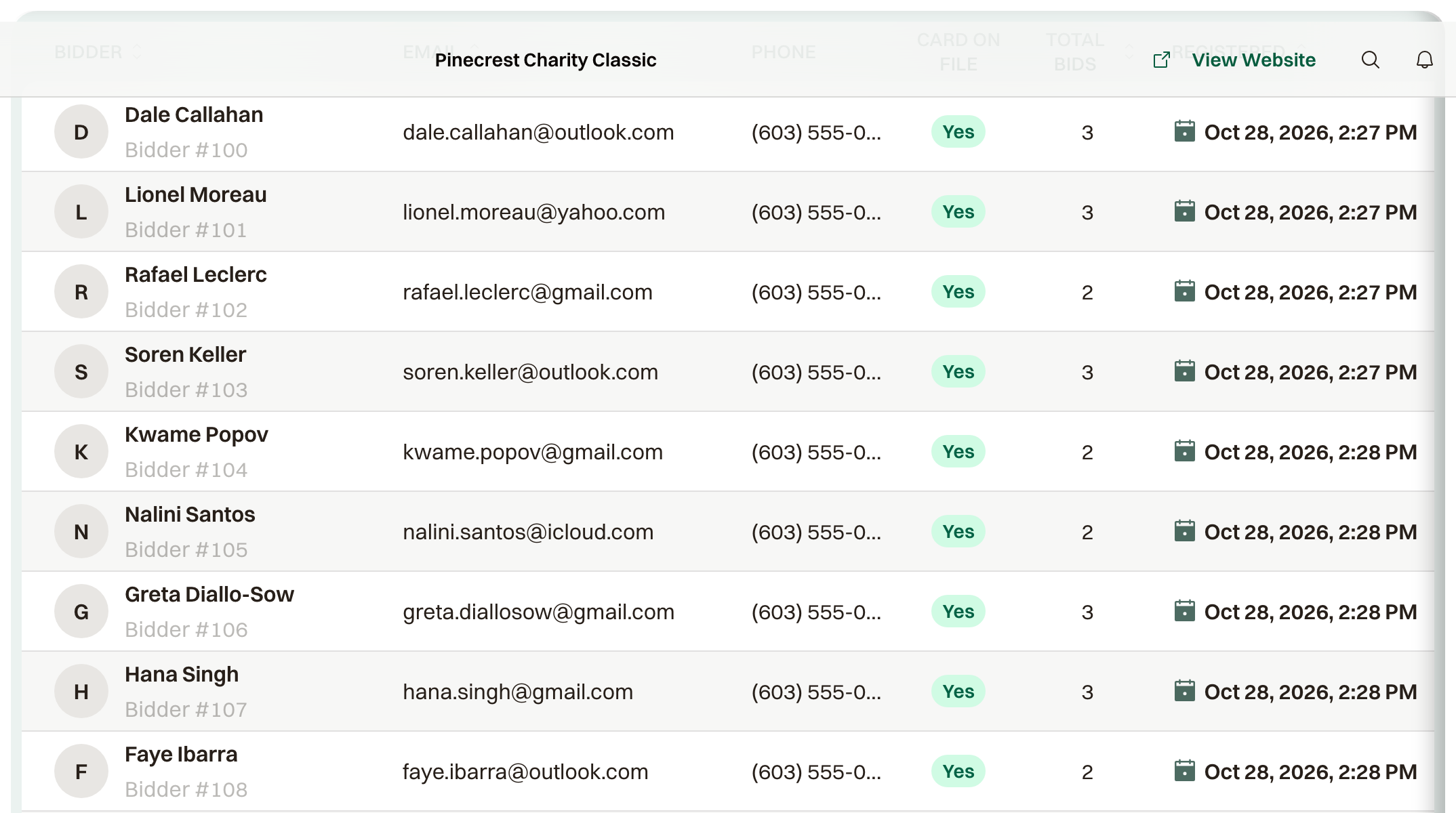
Bidders on the auction lists everyone who registered: their name, bidder number, and whether there is a Card on File. Numbers start at 100; Bidder Number Start on the auction settings changes where they begin.
Whether a card is required
Card capture, under Payment in the auction settings, decides when a bidder saves a card:
- Required to bid. They save a card as part of registering, before their first bid. This is the default, and it is what lets you charge winners automatically.
- Optional at registration. They can choose Skip for now when registering, but the next Place Bid asks for a card before the bid goes in.
- Not collected. No card step at all. Winners pay from a link in the winner email, or you collect from Results.