
The Tee Sheet
Every group, their hole and start time, and the golfers in each spot. Print it for the starter or copy a scoring link.
The Tee Sheet is the round as the groups will play it. Each row is a group, and the columns run Golfer 1 through the last spot. An empty spot is blank, so you can see at a glance where there is room.
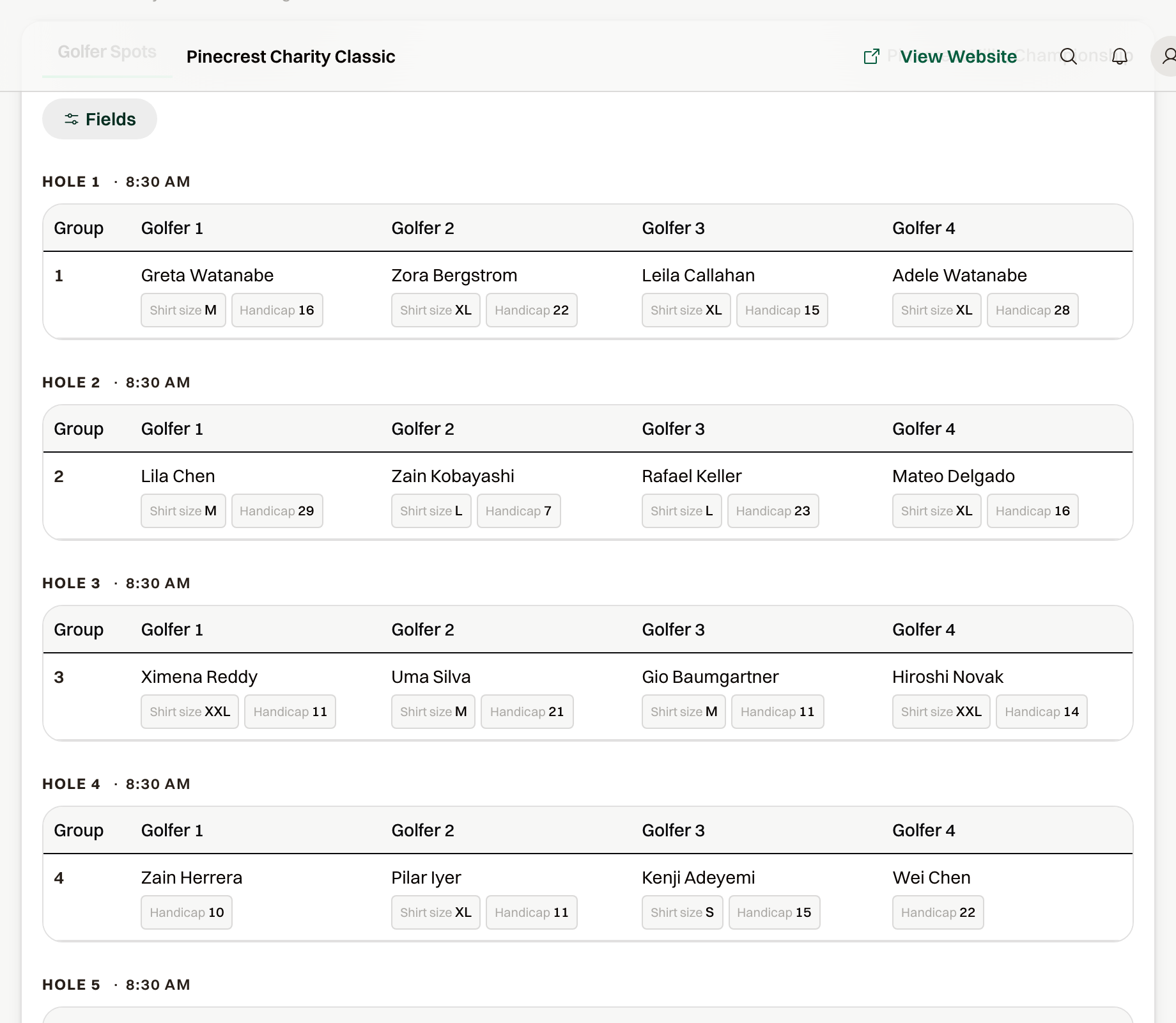
Read the start
The header reads Shotgun Start or Tee Times with the start time. A shotgun shows the same time on every hole. Tee times step forward by the interval from Course setup.
Show handicaps or other answers
Fields adds an answer under each name. The list offers the custom fields your golfers answered plus Handicap and Company Name, and every field starts on. Untick what you don't need; the choice is remembered on this computer. Fields show on screen only, not on the printout.
Print it
Actions > Print opens a letter-size landscape page: the event name, the date, the start, and one block per hole with the group and the golfers. Print one for the starter and one for the pro shop.
Scoring links
Once live scoring is on, each group has a link you can copy for the person keeping score. Sending all of them at once is done from Live Scoring.