
Course setup
Build the round: holes, group size, shotgun or tee times, and the par, yardage, sponsors, and contests on each hole.
Setup under Assignments is the shape of the round. Build it before you place anyone, and get the hole details in early: they drive what scorers see on their phones.
Build the layout
Add Layout starts a course. Layout name is what the Builder, the Tee Sheet, and Live Scoring call it, and importing course data fills it in with the club's name.
Three numbers make the grid: Holes, Groups per hole, and Spots per group. A standard tournament is 18 holes, one group per hole, four spots. Put two groups on a hole when you have more than 18 foursomes, and they become 1A and 1B. A hole that should carry a different number of players, such as a par 3 with a fivesome, gets a Group size override on that hole.
Shotgun or tee times
Shotgun starts every group at once from their assigned hole, at one Start time. It is the right choice for a charity event: everyone finishes together, which is what the dinner and the auction need.
Sequential sends groups off the first tee at an Interval of 4 to 30 minutes. The Tee Sheet then labels the round Tee Times. Use it when the course will not give you a shotgun.
Once scoring is open on a course, its setup locks. Changing holes or groups after people are placed can also remove those groups; the page asks before it does.
Import the course
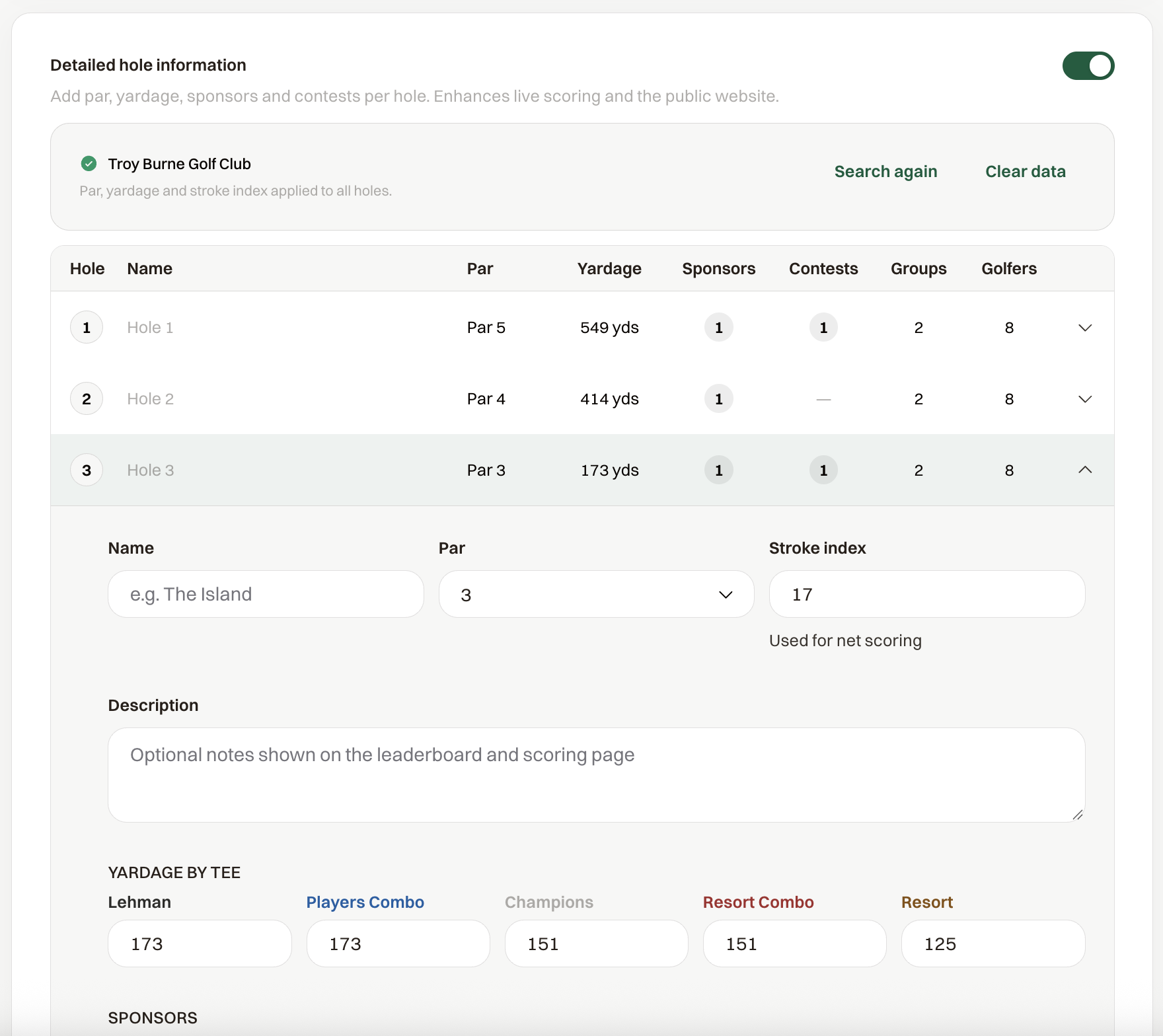
Turn on Detailed hole information, save the layout, and choose Import course data. Search by course or club name and pick the course. Par, yardage for up to five tees, and stroke index fill in for every hole, and the tee names come with them.
Two things depend on this import. Scorers see par and the yardage for the Default tee you pick in Live Scoring, and Maximum score per hole needs par to work. Without the import, scorers see a hole number and nothing else.
Hole sponsors and contests
Open a hole to add what is happening on it.
- Sponsors picks from the event's sponsors and takes a Type such as Hole Sponsor or Green Sponsor. The sponsor's logo and name show on the scorer's phone when the group reaches that hole.
- Contests is a label such as Closest to Pin or Longest Drive. The scorer's phone announces it when the group arrives on the hole.
- Name gives the hole a name, shown under the hole number on the phone.
Use Save hole on each hole you edit.