
Custom pages
Add a page from a template or blank, choose blocks, and publish it on the event website.
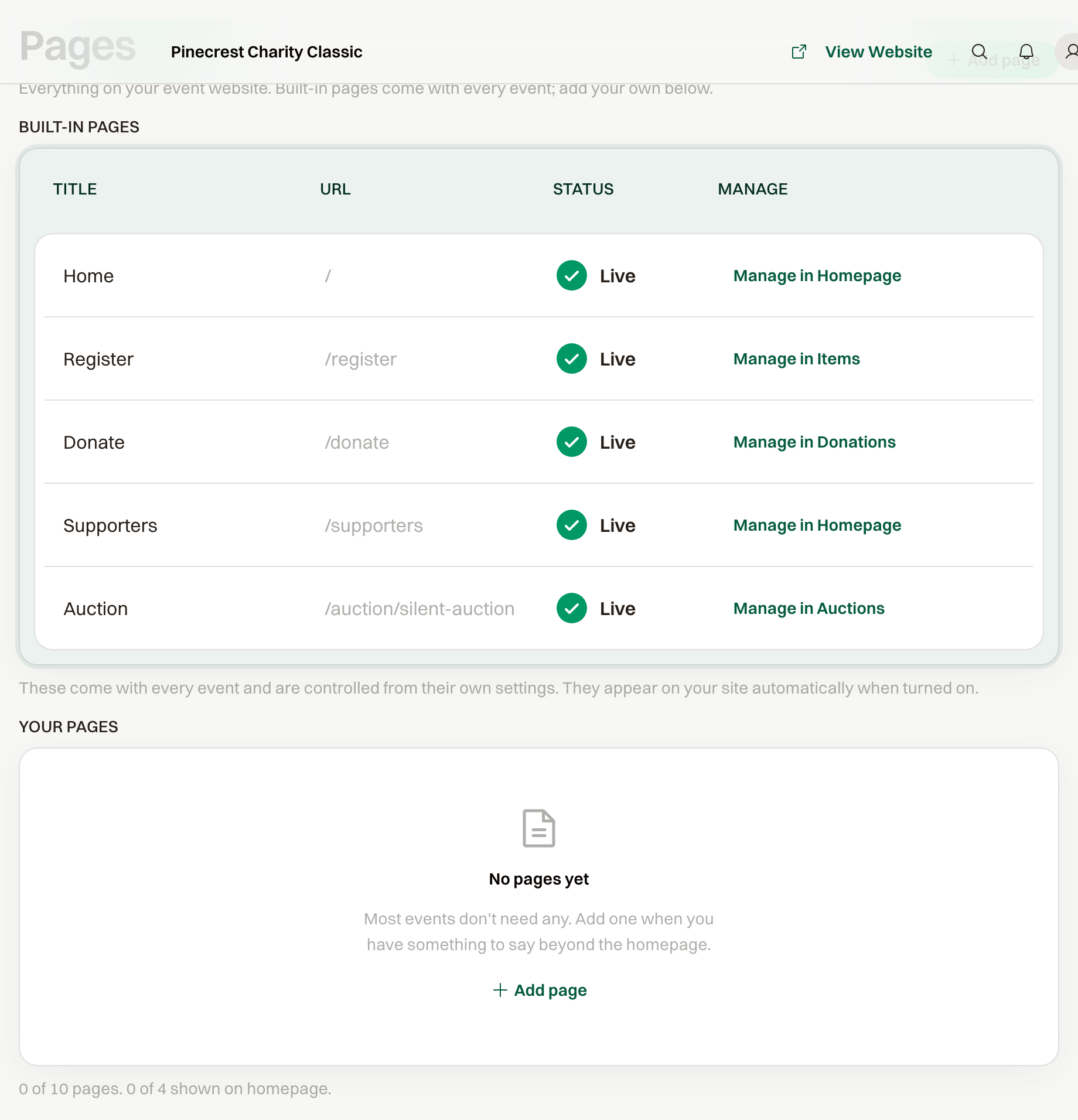
Custom pages are extra pages on the event website, for a press roundup, an about page, or anything the homepage doesn't cover. Open them under Public Website > Pages.
Create a page
Select Add page and choose In the News, About us, or Custom page for a blank page. The new page starts as a Draft.
Set the Title, the URL, and a Summary. The summary is the text on the homepage card.
Blocks
Select Add block. The blocks are Heading, Rich text, Image, Gallery, News item, FAQ, and Embed. An embed takes a YouTube or Vimeo link.
A page can hold up to 30 blocks.
Publish, or leave it a draft
Turn on Published and the page is on the event website for guests, including the footer. A Draft is available to signed-in members of your organization through Preview page.
While the whole event is still a draft, the site itself is only open to those members.
Show on homepage adds a card in the section titled Explore. The card appears after the page is published.
Up to four pages can be on the homepage. An event can have up to ten pages of your own.
The same Pages screen lists built-in pages such as Home, Register, and Donate. Those come with the event and are turned on from their own settings.